
Open any modern Body Visualizer and, in addition to the 3D preview and the numeric metrics, you will see a single shape label — usually one of hourglass, pear, apple, or rectangle. These categories appear everywhere from fashion magazines to fitness apps, but a Body Visualizer is one of the few places where they are computed from real measurements rather than vibes.
This article explains how a Body Visualizer assigns body shape labels, what each shape means, what they do not mean, and how to interpret the Body Visualizer's body shape output honestly.
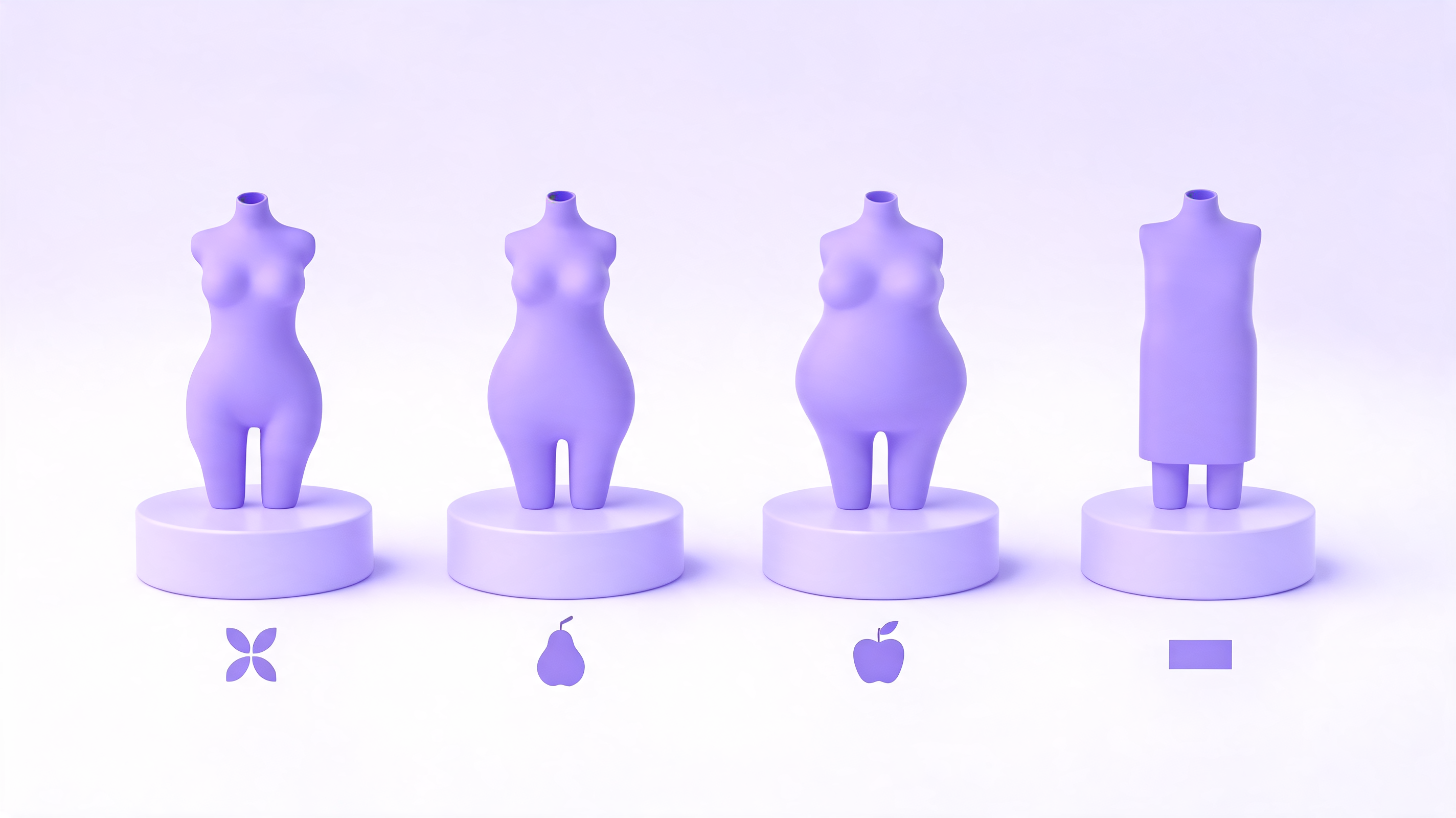
How a Body Visualizer Decides Your Shape
A Body Visualizer needs three numbers to assign a shape label:
- Bust / chest circumference
- Waist circumference
- Hip circumference
From these, a Body Visualizer computes ratios:
- Bust-to-waist (how dramatically your chest tapers to your waist)
- Hip-to-waist (how dramatically your hips taper to your waist)
- Bust-to-hip (whether your top is wider, narrower, or similar to your bottom)
Different Body Visualizer implementations use slightly different thresholds, but the underlying logic is consistent:
| Body Visualizer Label | Approximate Definition |
|---|---|
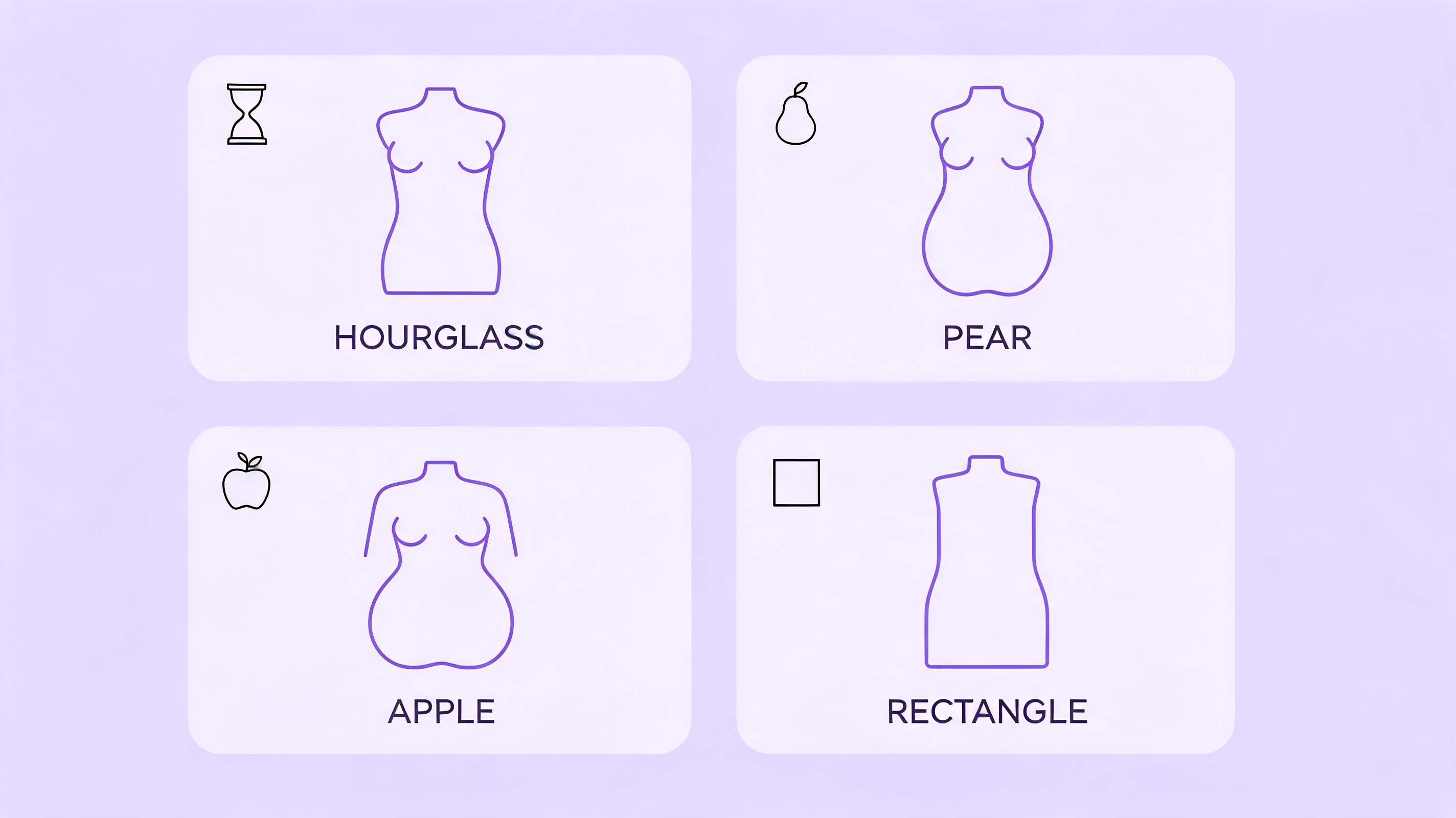
| Hourglass | Bust ≈ Hips, waist meaningfully smaller than both |
| Pear (triangle) | Hips meaningfully wider than bust, with a defined waist |
| Apple (inverted triangle / oval) | Bust or torso wider, waist similar to or wider than hips |
| Rectangle (straight) | Bust, waist, and hips fairly similar; minimal taper |
A Body Visualizer is essentially a pattern matcher — it takes those ratios and finds the closest matching category.
Body Visualizer Shape: Hourglass
The hourglass shape is the one most people are familiar with from media. A Body Visualizer calls you an hourglass when bust and hips are roughly similar in width and the waist is clearly narrower than both — typically a waist-to-hip ratio under about 0.75.
In a Body Visualizer preview, an hourglass silhouette has a visible "S" curve from the side and a clear taper at the waist from the front.
Important: an hourglass label from a Body Visualizer is not a compliment, a goal, or a default state. It is just a geometric description of the ratios you typed in.
Body Visualizer Shape: Pear (Triangle)
A Body Visualizer assigns the pear label (sometimes called "triangle") when hips are noticeably wider than the bust, and there is a defined waist between them.
In the Body Visualizer preview, the pear silhouette has a narrower top half and a wider lower half. Common in many adults — and one of the most frequent labels a Body Visualizer outputs.
People sometimes assume "pear" implies excess fat at the hips. A Body Visualizer's pear shape often has nothing to do with fat — it is bone structure and natural fat distribution. The Body Visualizer is not making a value judgment, only describing geometry.
Body Visualizer Shape: Apple (Inverted Triangle / Oval)
The Body Visualizer outputs "apple" (or sometimes "inverted triangle" for the more athletic variant) when the upper body — bust, shoulders, or torso — is the widest section, and the waist does not narrow much. Hips are often narrower than bust.
In the Body Visualizer 3D preview, the apple silhouette has a fuller midsection and less hip taper. This shape is common with central adiposity, which is why WHtR (also reported by your Body Visualizer) is a useful additional signal.
If your Body Visualizer reports apple/oval together with a high WHtR (over 0.5), it might be worth a conversation with a clinician — but again, a Body Visualizer is not a diagnosis.
Body Visualizer Shape: Rectangle (Straight)
A Body Visualizer assigns the rectangle label when bust, waist, and hips are all relatively close in circumference. There is no dramatic taper from any angle.
In a Body Visualizer preview, the rectangle silhouette has a straight column-like profile. It is extremely common — and the most likely category for very athletic builds, very lean builds, and many builds in between.
The rectangle category is also where small Body Visualizer measurement changes have the biggest label-flipping effect. A 2 cm change at the waist can shift you from rectangle to hourglass or pear in any Body Visualizer.
Why a Body Visualizer Shape Label Is Just a Starting Point
Body Visualizer shape labels are useful, but they hide a lot:
- They ignore height. A 150 cm rectangle and a 180 cm rectangle look completely different even though a Body Visualizer assigned them the same label.
- They ignore muscle. A heavily muscled torso reads "apple" in a Body Visualizer even when body fat is low.
- They cluster a continuous space. Real bodies are not four categories; the Body Visualizer is just snapping to the nearest.
- They can flip near boundaries. A Body Visualizer might call you rectangle one month and hourglass the next with very small input changes.
So treat a Body Visualizer shape label like a t-shirt size, not a diagnosis. It is convenient shorthand, not biology.
Body Visualizer Shape ≠ Health Status
This deserves its own header, because it gets confused constantly. The Body Visualizer's body shape label says nothing direct about health.
- "Hourglass" is not healthier than "rectangle."
- "Pear" is not "better" than "apple."
- A Body Visualizer cannot tell you whether your waist circumference is metabolically risky — only WHtR and a clinician can begin to.
A Body Visualizer is for understanding shape, not for ranking it.
How to Use Body Visualizer Shape Labels Constructively
A few constructive uses for the Body Visualizer shape output:
- Shopping reference. Clothing brands sometimes recommend cuts by body shape. A Body Visualizer label is a useful, fast input for that.
- Self-description. When talking to a tailor, a coach, or a friend, "my Body Visualizer says rectangle" communicates a lot in three words.
- Trend awareness. If you switch Body Visualizer shape categories over time, that is a meaningful signal of redistribution — possibly more meaningful than scale weight.
A few uses to avoid:
- Comparing your Body Visualizer shape label to a friend's. Different starting biology.
- Using your Body Visualizer shape as a measure of self-worth.
- Treating the Body Visualizer's shape label as a permanent identity.
Will a Body Visualizer Shape Change?
It can — through training, weight change, age, hormones, posture, even hydration on a given day. A Body Visualizer label is a snapshot; the shape is fluid. Re-measure every month or two if you want to track changes through a Body Visualizer.
See Your Shape in a Body Visualizer
The fastest way to ground all of this is to enter your real measurements into a Body Visualizer and see which label comes up.
👉 Open the Body Visualizer and check your shape now.