
Type your height and weight into a body size and weight simulator and a 3D silhouette appears in seconds. It looks specific. It feels personal. But what is it actually doing — and how much should you read into what it shows?
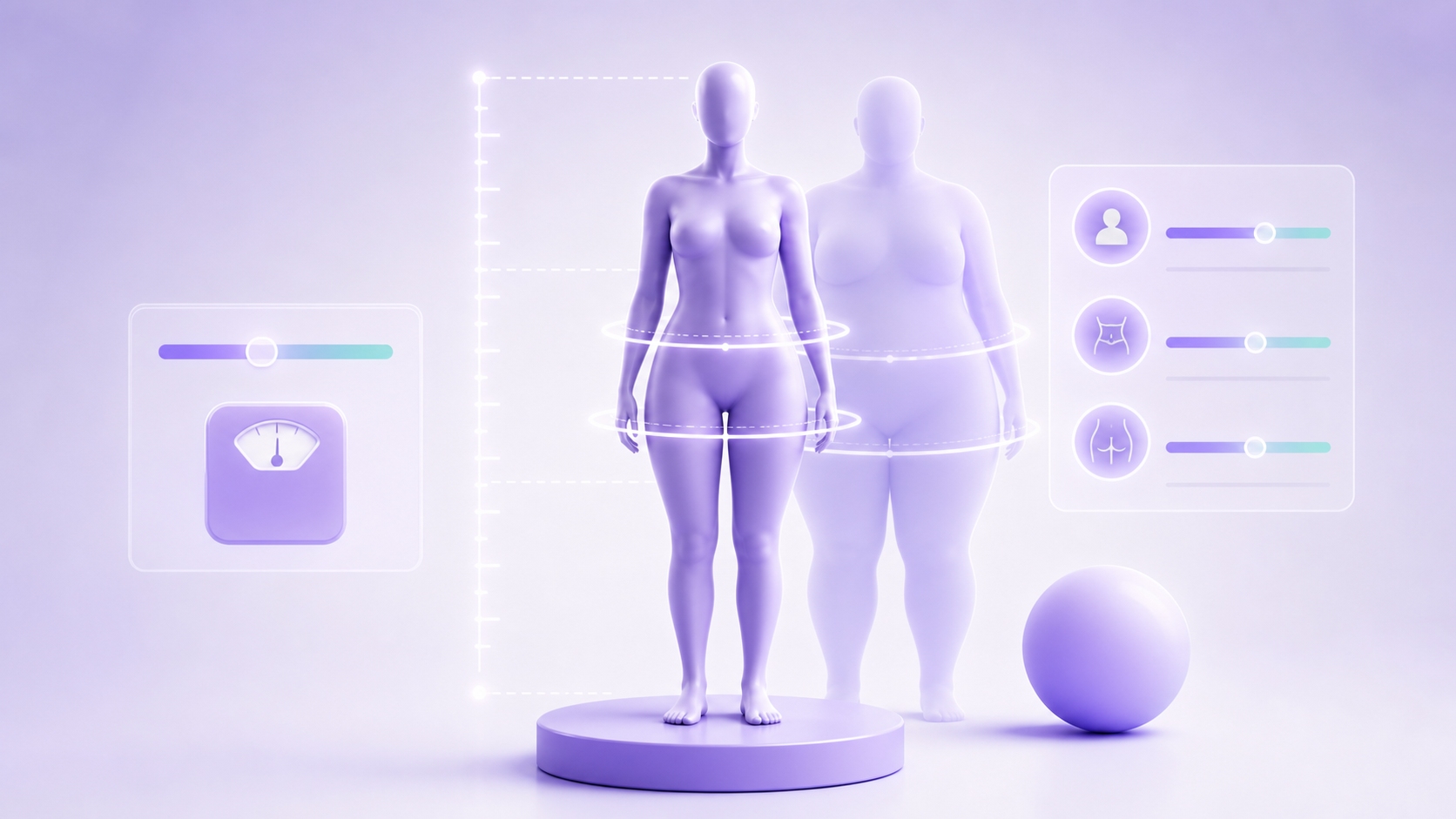
This guide explains how a body size simulator works, what inputs drive it, where it outperforms a standard BMI calculator, and how to use it responsibly for goal-setting without over-interpreting a geometric shape.
If you want to try one right now, the free 3D body size simulator is available without sign-up. Otherwise, keep reading.
Key Takeaways
- A body size and weight simulator converts numeric inputs — height, weight, and optionally circumference measurements — into a proportional 3D shape.
- Height and weight alone account for less than 40% of visible body shape variation (American Journal of Clinical Nutrition, 2019); circumference data closes most of the gap.
- Simulators calculate BMI, waist-to-height ratio, waist-to-hip ratio, and estimated body fat — more dimensions than a plain BMI calculator.
- Visual goal-setting tools improve adherence compared to numeric-only targets, according to implementation intentions research in health psychology.
- A body simulator is a proportional estimate, not a body scan — treat it as a directional reference, not a medical measurement.
What a Body Size and Weight Simulator Actually Calculates
A body size and weight simulator is a browser-based tool that combines a set of body composition formulas with a 3D rendering engine. You enter values — at minimum height and weight — and the software does two things simultaneously: it renders a shape scaled to those dimensions, and it runs a short stack of health metrics behind the scenes.
The metrics a typical simulator calculates from height and weight alone:
- BMI (Body Mass Index):
weight (kg) / height (m)² - Waist-to-Height Ratio (WHtR): estimated from BMI when no waist is provided
- Estimated body fat percentage: derived from BMI using age- and sex-adjusted formulas (Deurenberg equation)
When you add circumference measurements — chest, waist, hips, inseam — the simulator gains precision on all three. WHtR and WHR become direct calculations instead of estimates. The 3D shape shifts from a generic scaled figure to a proportional silhouette that reflects where your mass is actually distributed.
The most useful thing a body size simulator does is not the 3D shape itself — it's forcing the calculation of waist-to-height ratio, which the American College of Sports Medicine (ACSM) considers a more reliable health proxy than BMI alone, because it captures central adiposity rather than total mass.
Why Height and Weight Are Not Enough on Their Own
Height and weight are the starting point, but they explain less than 40% of visible body shape variation according to body composition research published by the American Journal of Clinical Nutrition (AJCN, 2019). The rest is determined by how mass is distributed — around the waist versus the hips, across the shoulders, through the legs.
Consider two people with the same height and weight. One carries most of their mass centrally — higher waist circumference, narrower hips. The other carries it peripherally — wider hips, narrower waist. A simulator that only takes height and weight renders both of them identically. That's why adding even a single circumference measurement — waist — produces a more accurate shape.
A body measurements guide covers the specific inputs to take and how to take them without equipment bias. The short version: use a soft tape measure, measure at the narrowest visible point for waist, and at the widest point for hips.
What the 3D Shape Is — and What It Isn't
The 3D figure a body size simulator renders is a proportional estimate, not an anatomical scan. The tool does not know your muscle-to-fat ratio, bone structure, skin distribution, or posture. It knows the numbers you typed.
What the shape correctly communicates:
- Relative scale: a 5'4" 130 lb render will be visually shorter and narrower than a 5'10" 200 lb render
- General proportionality: if you enter a waist of 32" and hips of 40", the figure will show a hip-dominant silhouette
- Side-by-side goal comparison: the most useful feature — entering current measurements and a goal weight or waist target to see two shapes next to each other
What the shape cannot show:
- Muscle definition or muscle-to-fat distribution at a given weight
- How your face, skin, or specific body parts look
- The effects of training modalities that change composition without changing scale
In practice, the side-by-side comparison is the feature people use most. A person at 185 lbs aiming for 165 lbs can see the proportional difference in a way that "lose 20 lbs" written on paper doesn't convey. That visual gap tends to make goals feel concrete rather than abstract.
How a Body Weight Simulator Compares to a BMI Calculator
A plain BMI calculator takes two inputs and returns one number. A body size and weight simulator takes those same two inputs and returns a shape, multiple metrics, and an optional goal comparison. The BMI formula is embedded inside every body simulator — but a BMI calculator contains nothing else.
The practical difference matters most in two scenarios:
Muscle-heavy builds: Someone with significant muscle mass can show a BMI of 27 ("overweight") while carrying a body fat percentage in the athletic range. A body weight simulator, when fed accurate circumference measurements, will show a proportionally narrow waist and wide shoulders — a shape that tells a different story than the BMI number alone.
Central vs. peripheral weight distribution: Two people at the same BMI can have radically different health risk profiles depending on where they carry their mass. A body simulator captures this through waist-to-height ratio (WHtR), which the American College of Sports Medicine treats as a more useful obesity-related health proxy than BMI for individual assessment.
For a full feature comparison, the body visualizer vs BMI calculator guide covers when to use each tool and where each falls short.
How to Use a Body Size Simulator for Goal-Setting
A body weight simulator is most useful as a goal visualization tool, not a current-state measurement. The process that works:
Step 1 — Enter your current measurements accurately. Use height, weight, and at minimum waist circumference. Hip and chest measurements improve the shape significantly. See the body visualizer accuracy guide for measurement technique.
Step 2 — Set a goal weight or goal waist target. Most simulators let you enter a second set of numbers — either a goal weight or goal measurements — to render a comparison silhouette.
Step 3 — Note the proportional difference, not the absolute shape. The question isn't "will I look exactly like that?" — the question is "how different is the proportional relationship between waist and hips at the two points?" That difference is directionally reliable even if the absolute shape is approximate.
Step 4 — Use it to check intermediate milestones, not just endpoints. Tracking body size changes in 5–10 lb increments, rather than tracking only the final goal, surfaces whether your current approach is changing shape in the direction you intended.
The goal-comparison view also surfaces a non-obvious scenario: some people targeting a specific scale weight discover through a body simulator that their current proportions already match their goal body shape at a higher weight — meaning additional weight loss might not change their shape further. This is common in individuals who've gained muscle while losing fat.
Body Simulator Accuracy: What to Trust and What to Doubt
Body size simulators are accurate at proportional comparison and unreliable at absolute representation. Here's what that means in practice.
Trust:
- The relative difference between two states (current vs. goal)
- The waist-to-height ratio and waist-to-hip ratio numbers, if you entered accurate circumference measurements
- The BMI number (it's a direct calculation from height and weight)
- The body shape category label — hourglass, apple, pear, rectangle — when based on WHR
Don't over-trust:
- The estimated body fat percentage (derived from BMI, which doesn't account for muscle mass)
- The exact visual appearance of the 3D shape — body fat distribution varies far more than the model can represent
- Any specific facial, skin, or muscle definition features — simulators render generic mannequins
The body visualizer accuracy article goes deeper into where the estimation formulas come from and how large the error ranges are for each metric.
Body Shape Types the Simulator Identifies
Most body size simulators categorize shape based on waist-to-hip ratio. The four main categories:
| Shape | WHR (women) | WHR (men) | Characteristics |
|---|---|---|---|
| Hourglass | < 0.75 | < 0.85 | Chest and hips roughly equal, narrow waist |
| Pear | < 0.80 | < 0.90 | Hips wider than chest |
| Apple | > 0.85 | > 0.95 | Waist close to or wider than hips |
| Rectangle | 0.75–0.80 | 0.85–0.95 | Chest, waist, hips roughly equal |
These categories are useful as reference points, not as fixed classifications. Most people fall close to a border between two categories, and the same WHR can look different at different heights or weights. The body visualizer body shapes guide covers each body shape type in more detail.
Using a Body Simulator Responsibly
Body size simulators have a documented risk worth naming directly: they can reinforce body dissatisfaction if used as a standard for what you should look like rather than as a proportional reference for where you might go.
Research on virtual body image tools published in the journal Body Image (2022–2023, multiple authors) found that tools reducing body dissatisfaction scores in clinical settings shared a common design feature: they presented goal comparisons as explorations rather than targets. Tools that presented the goal shape as the "correct" outcome produced worse outcomes for self-image.
In practice, that means:
- Use the comparison view to understand proportional change, not to judge your current body against a goal body
- Focus on the metrics — WHtR, WHR — rather than the visual shape
- If you find yourself checking the simulator frequently for reassurance rather than information, that's a signal to step back
The body visualizer for weight loss goals post discusses how to frame goal-setting with visual tools in a way that supports rather than undermines progress.
Frequently Asked Questions
What is a body size and weight simulator?
A body size and weight simulator is a browser-based tool that takes your height, weight, and optionally circumference measurements, then renders a proportional 3D shape and calculates body metrics including BMI, waist-to-height ratio, and estimated body fat. It's used as a goal visualization and body composition reference tool.
Is a body weight simulator accurate?
A body weight simulator is accurate for proportional comparison between two states — current vs. goal — and for direct calculations like BMI and WHR when you enter accurate measurements. It's less accurate for absolute representation of your specific body shape, and estimated body fat percentages carry significant error margins compared to DEXA scanning or hydrostatic weighing.
What's the difference between a body simulator and a BMI calculator?
A BMI calculator takes height and weight and returns a single number. A body size simulator takes the same inputs plus optional circumference measurements, renders a 3D shape, and calculates multiple metrics (BMI, WHtR, WHR, body fat estimate, body shape label). Every body simulator includes BMI, but a BMI calculator doesn't calculate any of the other metrics.
Can a body simulator show what I'll look like at a different weight?
A body simulator can show what a proportionally similar body would look like at a different weight — not what you specifically will look like. The shape is a geometric estimate based on average distribution curves. If you change weight while significantly changing muscle mass, actual body composition, or fat distribution pattern, the result may differ from what the simulator shows.
Do I need to create an account to use a body size simulator?
The free 3D body size simulator on this site requires no account, no photo upload, and no download. You enter measurements directly in the browser and the shape renders immediately.
Conclusion
A body size and weight simulator does something a BMI calculator doesn't: it converts your numbers into a shape you can see and compare. That visual layer is useful — it makes proportional differences concrete, anchors goal-setting, and generates more body-composition metrics than BMI alone.
It also has clear limits. The shape is a proportional estimate, not your actual body. Height and weight alone explain less than 40% of visible body shape variation. The body fat percentage estimate is approximate. None of these limits make the tool useless — they define when to use it and what weight to give the output.
Use it as a reference for direction, not as a measurement of destination. The free 3D body size simulator is available without sign-up, and the body measurements guide covers how to take accurate inputs if you want to improve the shape accuracy.