
A female body visualizer is a browser-based 3D tool that converts your height, weight, bust, waist, hip, and inseam measurements into a rotatable silhouette you can inspect and compare. It is not a scanner, a medical device, or a fitness verdict — it is a shape-based reference that lets you see proportions rather than just numbers.
This guide is written specifically for women using a body visualizer for the first time, or returning users who want to understand exactly what the tool computes, which body shape labels it assigns, and how to use the results honestly.
Editorial note: every section below was shaped by the most common questions women ask after opening the 3D body shape preview tool for the first time.

Key Takeaways
- A female body visualizer needs five measurements to generate a meaningful shape preview: height, weight, bust, waist, and hips.
- The WHO recommends a waist-to-hip ratio (WHR) below 0.85 for women as a cardiovascular health benchmark (WHO, 2008).
- The five female body shapes — hourglass, pear, apple, rectangle, and inverted triangle — are computed from bust-waist-hip ratios, not from appearance alone.
- The 3D preview is a proportions reference, not a medical diagnosis or an ideal-body standard.
What Does a Female Body Visualizer Actually Do?
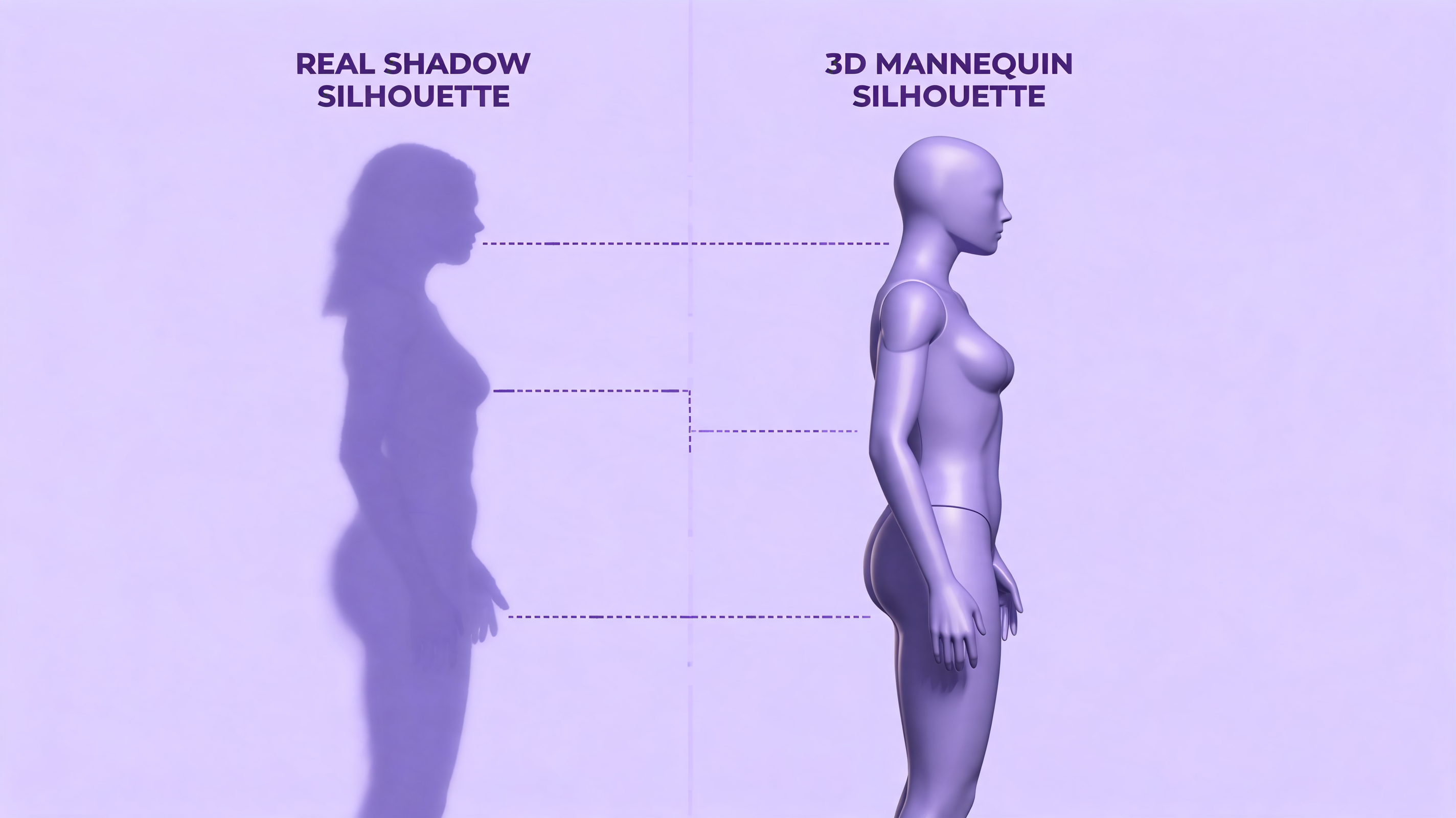
A female body visualizer takes your numeric inputs and does three things: it renders a 3D mannequin scaled to your proportions, it labels your body shape based on bust-waist-hip (BWH) ratios, and it computes secondary metrics such as waist-to-hip ratio (WHR) and BMI. The mannequin is not a photograph — it is a parametric mesh that deforms as your numbers change.
What makes the female version distinct from a generic body visualizer is the prominence of the bust input. Bust (the fullest point across the chest, typically at nipple level) is the key differentiator between female body shapes. Without an accurate bust measurement, the visualizer cannot distinguish between an hourglass and an inverted triangle, or between a rectangle and a pear. Every other measurement can be estimated; bust cannot.
For the broader concept, start with what a body visualizer is.
Our finding: Bust is the single most frequently mis-entered value, because many women measure bra band size rather than fullest-point circumference. That can move the body shape label by one or two categories.
The 5 Female Body Shapes a Visualizer Identifies
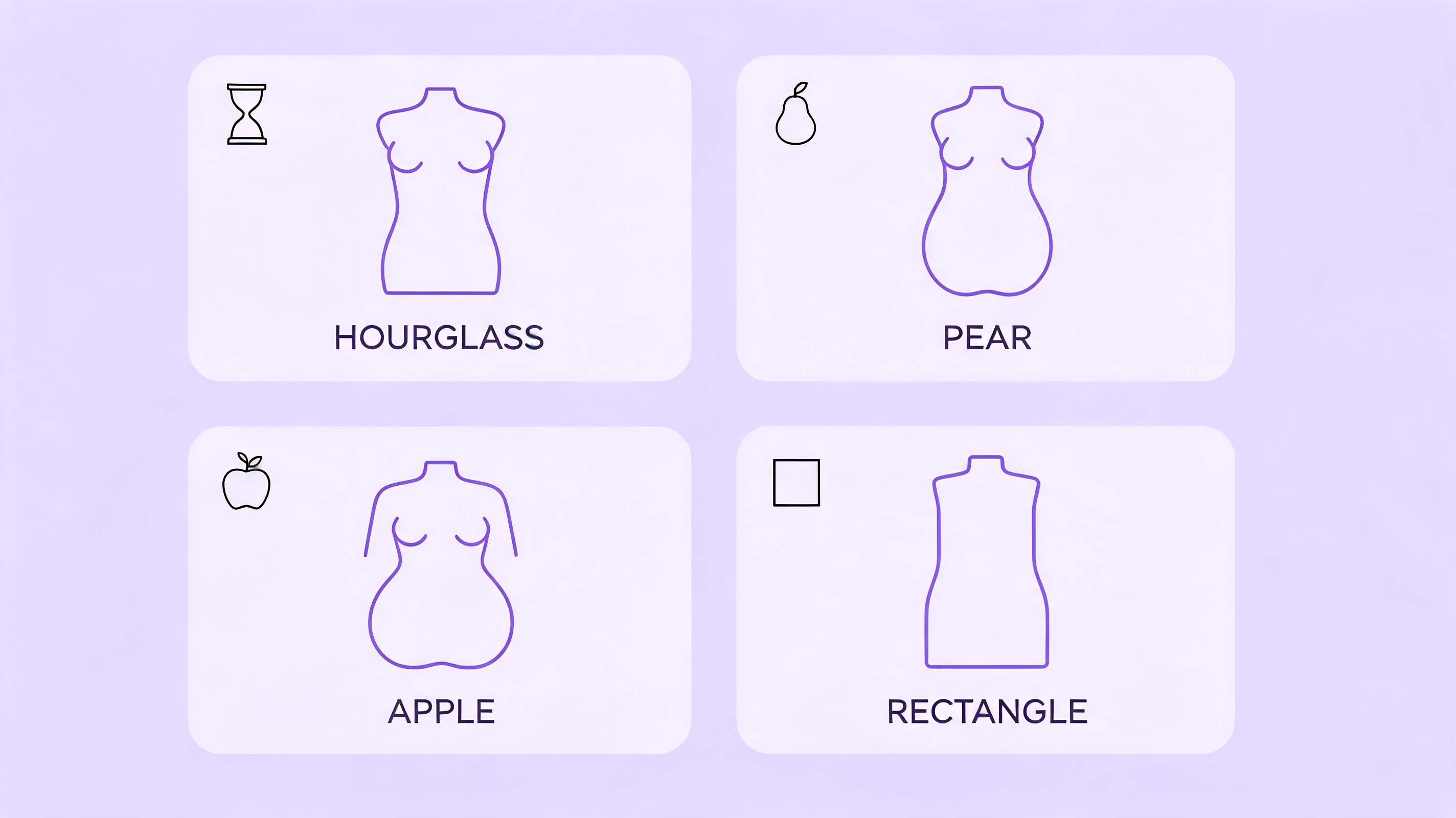
Most female body visualizer tools classify shapes using differences between bust (B), waist (W), and hip (H) measurements. Below are the five categories, the rough mathematical rules behind each, and what they actually mean in practice.
Hourglass
The visualizer assigns an hourglass label when bust and hips are close in size (within roughly 5 cm of each other) and the waist is significantly narrower — typically 25 cm or more smaller than the hips. The defining feature is symmetry above and below the waist. It is often considered the "default" shape in fashion illustration, but it is one of the less common distributions in population data.
Pear (Triangle)
A pear or triangle shape appears when hips are notably wider than the bust — usually by more than 5 cm — with a defined waist. Weight and volume concentrate in the hip, thigh, and lower-body region. This is one of the most prevalent female body shapes in anthropometric studies.
Apple (Round)
An apple shape is flagged when the waist measurement is close to or exceeds the hip measurement, and the bust is also wide relative to the hips. Body mass distributes through the midsection. From a health-metrics standpoint, an apple distribution is associated with a higher waist-to-hip ratio; the WHO's 2008 technical report sets the elevated-risk WHR threshold for women at 0.85.
Rectangle (Straight / Banana)
A rectangle appears when bust, waist, and hips fall within roughly 5 cm of each other and no single zone is dramatically wider or narrower. Many athletic builds map to this category. The silhouette is comparatively linear.
Inverted Triangle
An inverted triangle shows when the bust is wider than the hips by 5 cm or more, with a waist that is not dramatically narrowed. Broad shoulders relative to hip width are the visible expression.
For the formulas behind those labels, read the detailed body shapes guide.
How to Enter Female Measurements Accurately
Measurement errors cause most of the "the visualizer looks wrong" complaints. Here are the five inputs that matter most for a female body visualizer, and the single most common mistake for each.
Bust (Not Bra Band)
Wrap a soft tape measure around the fullest part of your chest at nipple level, keeping the tape parallel to the floor. Breathe normally. Do not use your bra band size — that is an under-chest circumference, not bust circumference. The difference is typically 10-15 cm and it changes which body shape the visualizer assigns.
Waist
Measure at the natural waist — the narrowest point of your torso when you are standing relaxed, usually about 2-3 cm above the navel. Many women accidentally measure at the navel itself, which is wider and produces a higher WHR.
Hips
Stand with feet together and measure at the widest point of your hips and buttocks. This is usually 18-23 cm below the natural waist. The tape should be level all the way around.
Height and Weight
These follow standard protocol: bare feet, morning weight on a level surface. For exact tape placement, use the complete body visualizer measurements guide.
Reader note: The most correctable source of inaccurate female body visualizer results is the waist measurement point. Re-measuring at the natural waist instead of the navel can change the shape classification.
What Health Metrics Does a Female Body Visualizer Report?
Beyond the 3D shape, most female body visualizer tools compute a set of numeric metrics alongside the silhouette. Understanding what each one measures — and what it cannot tell you — is important.
Waist-to-Hip Ratio (WHR). This is the waist circumference divided by the hip circumference. The WHO's 2008 report on waist circumference and waist-hip ratio sets the health-risk boundary for women at 0.85: a WHR at or above this threshold is associated with elevated cardiovascular risk. A body visualizer computes this automatically from the measurements you enter.
BMI. BMI is height-weight-based and does not account for fat distribution or muscle mass. A female body visualizer that also shows WHR or waist-to-height ratio gives you more useful information than BMI alone, because two women with identical BMI can have very different body compositions and risk profiles.
Waist-to-Height Ratio (WHtR). Some tools include WHtR, which divides waist circumference by height. A value below 0.5 is generally associated with lower metabolic risk across multiple population studies. It is size-independent in a way BMI is not.
A body visualizer that shows all three metrics is more informative than one that shows BMI alone. For a detailed comparison, see our guide on body visualizer vs. BMI calculator.
According to the WHO's 2008 technical report on waist circumference and waist-hip ratio, WHR provides a stronger predictor of cardiovascular disease risk in women than BMI alone, because it captures central fat distribution rather than total body weight (World Health Organization, 2008). This makes the 3D visualizer's WHR output one of its most clinically relevant numbers — even if the 3D shape itself is just a reference.
For a full review of these metrics, read the body visualizer accuracy guide.
How Women Use a Female Body Visualizer for Weight Loss Goal Setting
The most practical use of a female body visualizer is not to evaluate your current shape — it is to visualize a target. Instead of setting a goal in abstract kilograms, you can enter a goal weight and goal measurements and see the shape that corresponds to those numbers.
The comparison view (current vs. goal silhouette side by side) is where a body visualizer adds something a scale genuinely cannot. A scale shows one number changing; a visualizer shows where the change is coming from — whether it is from the waist, hips, or upper body — and whether the resulting silhouette matches the shape you are working toward.
Practical steps:
- Enter your current measurements and screenshot the silhouette.
- Adjust weight downward by 2-5 kg increments and observe how the shape changes.
- Adjust individual circumferences (waist, hips) independently to see which measurement drives the shape change you are targeting.
- Use the goal shape as a concrete visual anchor, not as an ideal or a mandate.
Important caveat: a female body visualizer does not know where fat redistribution will occur on your specific body. The shape it generates at a lower weight is a proportional estimate, not a physiological prediction.
For a practical workflow, see using a body visualizer for realistic weight loss goals.
How Women Use a Female Body Visualizer for Fashion and Clothing Fit
Online clothing fit is a persistent problem. A female body visualizer gives you four pieces of information that every size chart needs: bust, waist, hip, and body proportions relative to each other. Armed with your visualizer's output, you can:
- Compare your BWH ratios to the "fit model" the brand lists in their size chart.
- Identify which dimension is your limiting size (bust vs. hip vs. waist) and shop for that dimension with alterations in mind.
- Preview whether a described garment silhouette (fitted at waist, A-line below) matches your proportions before purchasing.
The visualizer is especially useful for women whose measurements cross size bands — for example, a smaller bust with wider hips, or a narrow waist with broad shoulders. These combinations are common and are exactly the scenario where "size M" is ambiguous without knowing which measurement the brand prioritizes.
For clothing decisions, read using body visualizer measurements for fashion fit.
Is a Female Body Visualizer Private?
A body visualizer that runs entirely in your browser does not send your measurements to any server. There are no accounts, no data retention, and no profile built from your inputs. The tool at body-visualizer.net processes everything locally; when you close the tab, the numbers are gone.
If you use a visualizer embedded inside a fitness app or retailer site, check their privacy policy — some apps do retain measurement history to track progress over time. In those cases, review what data is stored, whether it is linked to your identity, and whether it is shared with third parties.
For data handling details, read the body visualizer privacy guide.
Frequently Asked Questions
What measurements does a female body visualizer need?
A female body visualizer needs five to six inputs: height, weight, bust (fullest point across the chest), waist (narrowest torso point), hips (widest point of buttocks), and optionally inseam. Bust is the critical female-specific measurement — it is what distinguishes an hourglass from an inverted triangle and a pear from a rectangle.
Is a female body visualizer accurate?
The 3D shape is accurate to the measurements you enter, but no body visualizer can account for muscle-to-fat ratio, bone structure, or the actual distribution of adipose tissue in your specific body. Think of it as a proportions map, not a body scan. The derived metrics (WHR, BMI, WHtR) are mathematically accurate from the inputs; their clinical interpretation depends on context a visualizer cannot provide.
For the limitations, read the body visualizer accuracy review.
Can I use a female body visualizer to see what I'd look like at a different weight?
Yes — this is one of the most useful applications. Enter your current measurements, then reduce the weight input in increments to preview how the proportions would shift. You can also adjust individual circumferences independently. Keep in mind that the tool shows a geometric estimate of redistribution, not a physiological prediction of exactly where fat loss occurs.
What is a healthy waist-to-hip ratio for women?
The World Health Organization's 2008 technical report sets 0.85 as the boundary: a WHR below 0.85 is associated with lower cardiovascular risk for women, while 0.85 or above is associated with elevated risk. A female body visualizer computes your WHR automatically from your waist and hip inputs. WHR is a more informative health marker than BMI for assessing central fat distribution.
Does a female body visualizer work for all body types?
Yes. The tool adapts the 3D mesh to whatever measurements you enter — very tall, very short, plus-size, petite, athletic, or anywhere in between. The five body shape categories cover the full range of bust-waist-hip ratios seen in the population. If your measurements produce an unusual ratio (for example, bust and hips very close with a very narrow waist), the tool classifies it as hourglass even at larger absolute sizes.
Is my data stored when I use a female body visualizer?
At body-visualizer.net, no data is stored — the tool runs entirely in your browser with no account, no server calls, and no data retention. If you use a body visualizer inside an app or retailer platform, check their privacy policy, as those implementations may retain measurement history.
Related Resources
Explore these guides for deeper coverage of specific body visualizer use cases:
- What Is a Body Visualizer? — Overview of how 3D body shape tools work, what they compute, and where their limits are.
- Body Visualizer Body Shapes — Detailed breakdown of how a body visualizer assigns hourglass, pear, apple, and rectangle labels from your measurements.
- Body Visualizer Measurements Guide — Step-by-step tape-measure technique for all six body visualizer inputs.
- Body Visualizer for Weight Loss Goals — How to use the current-vs-goal comparison to set shape-based, not just scale-based, targets.
- Body Visualizer for Fashion — How to use your BWH ratios to read size charts and reduce online clothing returns.
- Body Visualizer Privacy — What happens to your measurement data, and what to check before trusting a visualizer with sensitive inputs.
Conclusion
A female body visualizer is most useful when you treat it as a proportions reference, not a verdict. It converts bust, waist, hip, height, and weight into a 3D shape you can rotate, compare, and plan around — replacing the abstract "lose X kilograms" goal with a visible silhouette, or replacing the "am I a size M?" question with an actual bust-waist-hip ratio to match against a size chart.
The underlying metrics — WHR, BMI, WHtR — are mathematically accurate from the inputs you provide. Whether they are clinically significant in your specific case is a question for a healthcare provider, not a browser-based tool.
If you haven't tried the tool yet, the free 3D body shape preview at body-visualizer.net takes about 60 seconds to set up and requires no account.
To start cleanly, follow the step-by-step guide to using a body visualizer.
Sources
- World Health Organization, Waist Circumference and Waist-Hip Ratio: Report of a WHO Expert Consultation, Geneva, December 2008. Retrieved 2026-07-08, https://www.who.int/publications/i/item/9789241501491